Foto Produk untuk Toko Online: Panduan untuk yang Bukan Fotografer
Alasan nomor satu pelanggan nggak beli online? Mereka nggak bisa lihat produknya dengan jelas. Bukan harga. Bukan ongkir. Fotonya. Ini cara ambil foto produk yang lebih baik cuma pakai HP.
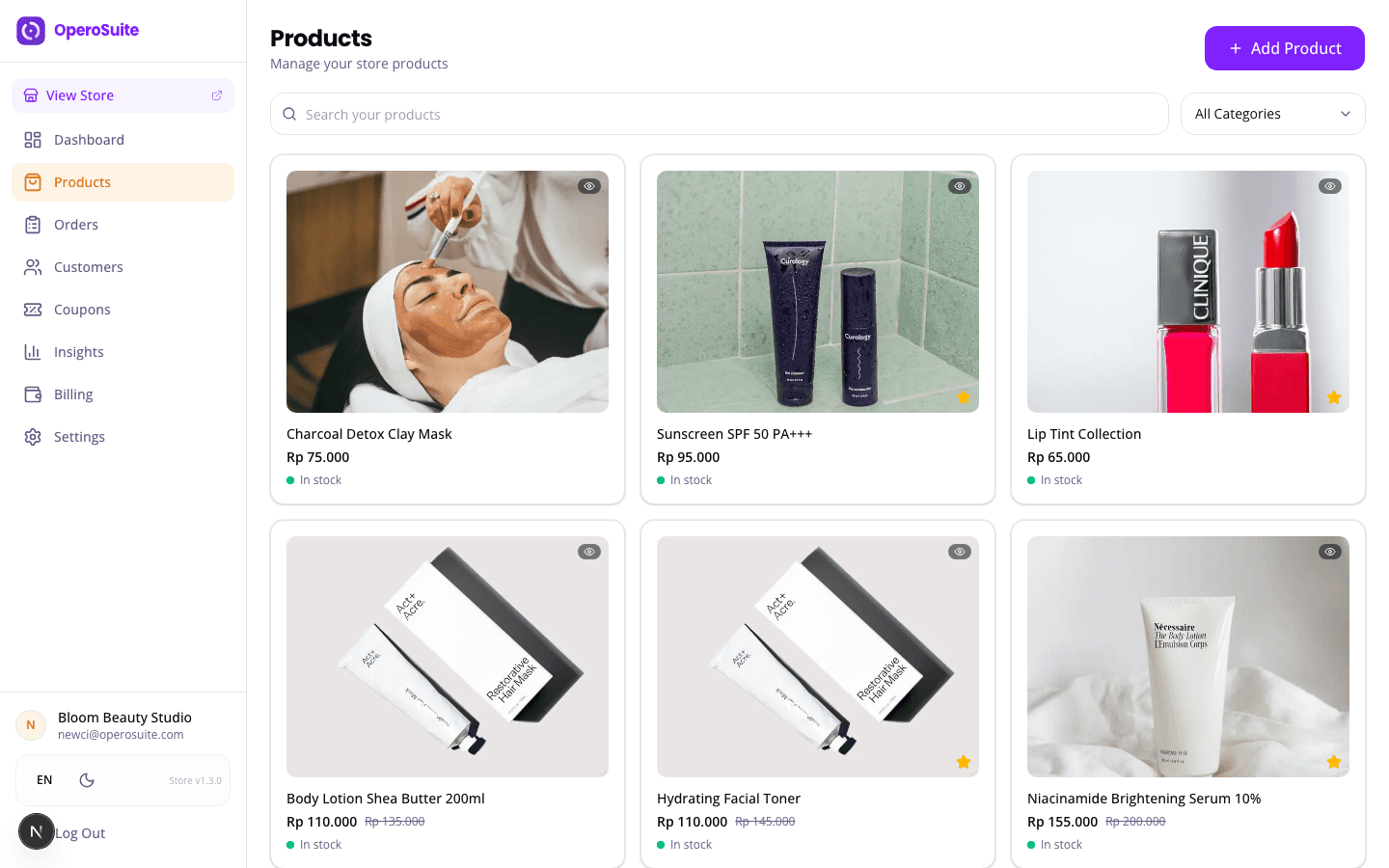
Ada alasan kenapa beberapa toko online laku dan yang lain enggak. Bukan produknya. Bukan harganya. Tapi fotonya. Pelanggan yang lagi scroll marketplace atau toko online bikin keputusan dalam hitungan detik berdasarkan satu hal: ini keliatan terpercaya nggak? Dan kepercayaan dimulai dari foto yang jelas.
Coba ingat-ingat kapan terakhir kamu beli sesuatu online. Kamu mungkin langsung lewatin listing dengan foto gelap, buram, diambil di meja berantakan. Kamu berhenti di yang fotonya terang, bersih, dan produknya kelihatan jelas. Pelanggan kamu juga begitu.
Kabar baiknya: kamu nggak perlu kamera mahal. HP kamu ngambil foto lebih bagus dari kamera profesional lima tahun lalu. Yang kamu butuhin itu cahaya, background, dan beberapa teknik simpel. Nggak perlu studio. Nggak perlu alat mahal. Cuma HP dan jendela.
Cahaya alami itu teman terbaik kamu dan gratis. Deketin jendela besar. Hindari sinar matahari langsung, karena bikin bayangan keras. Titik idealnya cahaya siang yang nggak langsung. Kalau satu sisi produk kamu terlalu gelap, pakai kertas putih atau tembok putih di sisi seberangnya buat mantulin cahaya balik. Itu yang para profesional sebut reflector. Punya kamu harganya Rp 3,000 di toko alat tulis.
Upgrade background termudah cuma Rp 5,000. Beli karton poster putih besar di Gramedia atau toko alat tulis. Taruh di belakang dan di bawah produk kamu, lengkungkan pelan-pelan supaya nggak kelihatan garis antara tembok dan meja. Ini namanya sweep, dan ini yang bikin foto produk keliatan profesional. Background bersih. Nggak ada gangguan.
Foto sejajar mata produk. Jangan moto dari atas. Minimal ambil tiga angle: depan, samping, dan detail. Untuk baju, tunjukin tekstur kain dari dekat. Untuk makanan, sudut 45 derajat biasanya paling bagus. Untuk elektronik, tunjukin port dan tombolnya. Pelanggan nggak bisa megang produknya. Foto kamu yang harus ngelakuin itu.
Edit seminim mungkin. Brightness naik dikit. Contrast naik dikit. Crop jadi kotak buat tampilan produk kamu. Jangan filter berlebihan. Jangan pakai filter preset yang bikin semuanya keliatan oranye. Versi realita yang dikit lebih terang itu yang jualan. Yang nggak jualan adalah foto yang sama sekali nggak mirip produk aslinya. Itu bikin barang balik dan review jelek.
Semua foto produk kamu harus keliatan kayak satu toko yang sama. Background sama. Pencahayaan sama. Ukuran foto sama. Pas pelanggan scroll produk kamu dan setiap foto punya background beda-beda dan lighting beda-beda, keliatannya berantakan. Konsistensi ngasih sinyal profesional tanpa perlu ngomong apa-apa.
Setelah foto produk kamu siap, ini cara buat online-in: Cara Buat Toko Online Gratis untuk Bisnis Kecil di Indonesia.
toko online OperoStore bikin upload dan atur foto produk jadi simpel. Drag and drop. Resize otomatis. Toko online kamu dihasilkan dari daftar produk, jadi begitu foto masuk, toko kamu langsung siap. Nggak perlu coding. Nggak perlu skill desain. Cuma produk kamu, difoto dengan baik, di toko yang bikin keliatan paling keren. Flat Rp 100,000 per bulan. Ada percobaan gratis.